Brand Color Remapping
AI picked colors. Now pick yours.
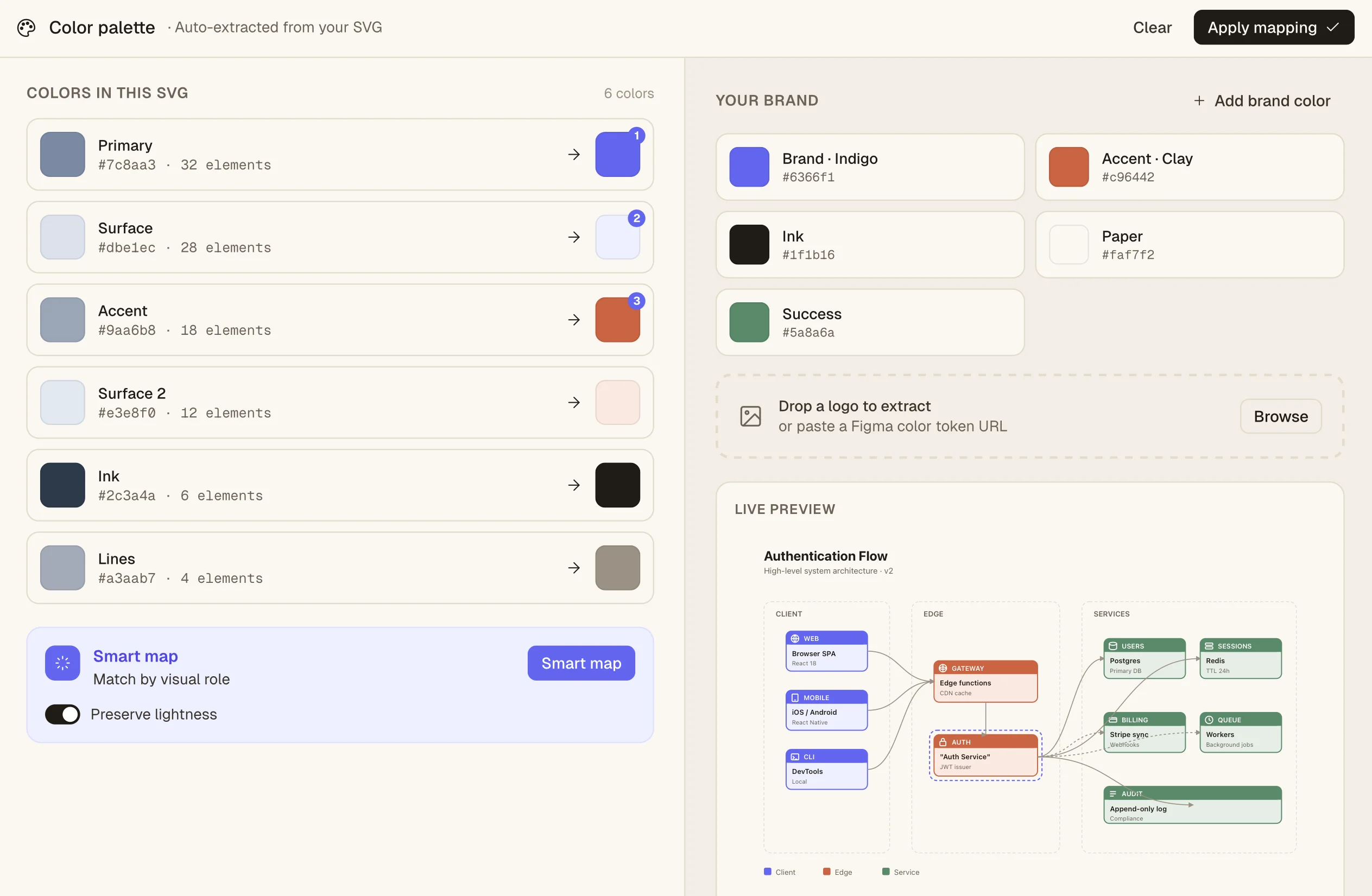
Claude and ChatGPT have no idea what your brand colors are. They'll use #374151 and #6b7280 every time. SVGEdit AI auto-extracts every color in the SVG and lets you remap the whole thing to your palette in one click — with lightness ratios preserved, so your lighter tones don't just become copies of your primary.
Try it free — No account required
How it works
Open your SVG
Drop the file, paste the code, or open a URL. SVGEdit AI reads the SVG and extracts every unique color — fills, strokes, gradients.
Map colors to your brand palette
The color panel shows every color in the file. Drag in your brand swatches or paste hex values. Map old → new. "Smart map" auto-matches by visual role (primary, neutral, accent).
Apply and export
Click Apply. Every element updates at once. Export as SVG to keep editing later, or PNG at 1×–4× to drop straight into Notion, Slides, or a PR description.
Frequently Asked Questions
Does it change colors inside text too?
Yes. Text fill and stroke colors are included in the extraction and remapping, same as shapes.
What if my SVG has gradients?
Gradient stops are extracted individually. You can remap each stop independently or let Smart Map handle it.
Will remapping break the design?
Lightness ratios are preserved by default — your lighter tones stay lighter relative to the new primary. You can toggle this off if you want exact color replacement.
Can I save my brand palette for next time?
Yes. Brand colors you add are saved to your browser's local storage and available in every project you open. Nothing is uploaded to a server.
Related features
Edit Text & Elements
Edit SVG files online for free — double-click any text to fix it, click shapes to recolor. No XML editing, no Figma, no account required. Works in your browser.
SVG to PNG Export
Convert SVG to PNG online for free — 1×, 2×, 3×, or 4× resolution. Transparent, white, or paper background. No upload, no watermark, no account. Runs entirely in your browser.
Local-first Privacy
Edit SVG files free in your browser — no uploads, no account, no cloud. Architecture diagrams and internal system maps stay on your machine. Free SVG editor with full local privacy.